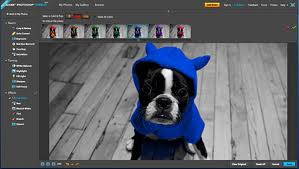
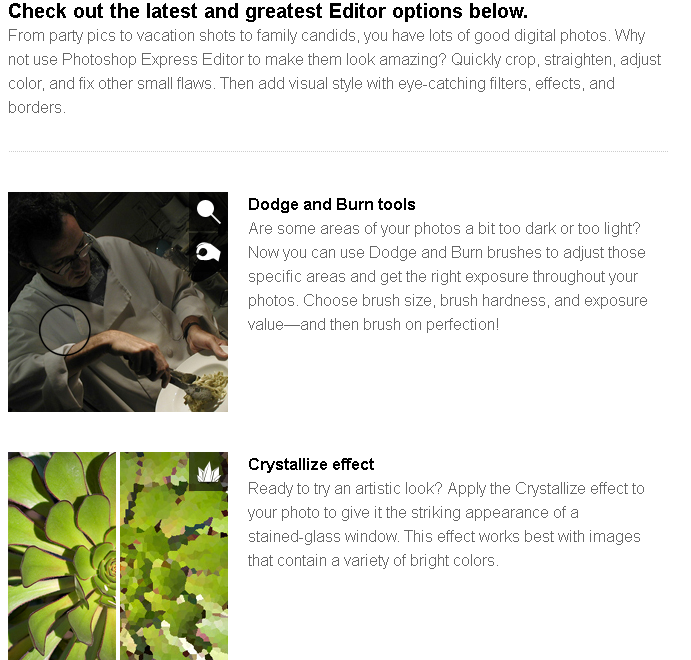
Fototrix.com -a free online where you can Upload a photo and add transparent overlays like borders, special effects. Upload a digital photo to add fun effects and novelty layouts. Here's a list of whatvfototrix can offer.
IMAGE PROCESSOR: Distort and manipulate the actual pixels of your images with web based tools like FishEye, Blurring, Brightener, Contrasts, B&W (not good for colored graphics, better for images with only a few colors), Gray Scaling, Negative, Cropping, Darkening, Embossed, Tile Mosaics (make it look like tiled art or really pixelized effects), Resizing, Twister (twisted around) and Waver (make wavy).
ADD TEXT: You have 2 choices here, one is for fancy 3D text effects or you can choose from a more standardized text style (hundreds of TTF fonts). Add neat text messages and saying to your photographs. Over 300 font styles to select from (some semitransparent).
FRAMER: Many realistic (actual photographs of painting and picture frames) frames you can choose to put around you photo. Your photo is resize to fit the frame (might be squeezed too much one way) or you can choose to have frame sized to the photo (this may affect the framing detail). A few of the frames are 3D CAD rendered.
 YOUR FACE HERE: Put your face on another body! Many carnivals and amusement parks have stand up character cutouts where you put your head (face forward portrait shots are best) in a hole to make it look like your face is on the character for novelty photo shoots. Well now you can do this same effect online with your digital photos! Put your mug on a muscle bound body, Queen of England's body, Borg queen, Jesus Christ with your head, a geeks body, movie poster poses, TV show stars (Wonder Woman, Superman, etc), NASA astronauts in space, stick figures, religious entities (monk, Pope, Jesus Christ, St. Mary, etc), Musicians (50 cent, Marilyn Manson, Elvis Presley, Eminem, etc), celebrity bodies (Elvira, Marilyn Monroe, Olsen twins, etc), cartoon character figures (Cinderella, Mickey Mouse, etc), a woman's/man's body, etc! Similar to software found @ FunPhotor.com (except we are free, better resolutions, more templates offered and online without having to install anything) which costs at least $69.95 (there's a few other similar products that still do not have any where near the same amount of templates even combined)! Permite poner tu cara en 500 diferentes cuerpos (famosos y dibujos animados, gente rica, modelos, de la realeza, políticos, etc.). Check out all the body layouts for you to choose HERE.
 BORDERS: Choose from many unique and neat borders to put over your image (photo is resized to fit border or you can choose to have border change sizing to suit your photo aspects). From barbed wire to your favorite snack food, many 3D rendered bordering layers (transparencies added).
SCRAPBOOKER: Well over 250 predesigned scrapbook layouts and backgrounds that you only need to add your picture and some personalized text (save and then go to text adding area, some areas designated for text are frame blanks or an obvious blank/clear area). This printable online digital scrapbooker generator is 100% free to use, web based internet scrapbooking that anyone can use. Kids as young as 11 years old are reported using this online digital scrapbooking tool! Even if you are a professional scrapper (with hundreds of dollars invested in tools and art supplies) who thinks this is too amateurish, you still may get layout ideas as there are hundreds of scrapbook layouts... Full layout thumbnail list HERE. WORLD'S GREATEST: Make a certificate styled photo frame from over 250 premade templates, many occasions and types of The World's Greatest person. World's greatest mother, best father, best vacation, best player, be the world's greatest anything! Each template style has two layouts to choose from, landscape or portrait views. SPECIAL EFFECTS: These are semitransparent (somewhat see through, partially transparent) layer effects that go over top your entire photo (usually will cover your entire image with an effect). Effects ranging from electrifying lightning strikes to wet water ripples. No need to buy 3rd party plug-ins for Photoshop!
COMIC MAKER: Choose a speech balloon or a thought bubble and resize/align it on your photograph. Also add in some text for a personal message. You can also add some cartoon characters from the people props section (Add Humanoid Figure).
PHOTO CARDS: Tons of templates (500 postcard overlays) to use with your photos for any occasion (Christmas, Valentine's Day, Mother's/Father's Day cards, birthdays, New Years, love/romance, etc). Similar to the greeting postcards you can order from Walmart, but these are the freely created graphics and you have to print them yourself (great for photo printer with postcard stock for paper) or save the image to use on websites, web profiles, blogs or forums. FAKE MAGAZINE COVERS: Choose from tons of magazine cover layouts (some fake parodies and some are actual real "photochopped" magazines) where you can insert your digital photograph to have your face/photo show up on the cover of mags like Rolligstone, TIME, People, Sports Illustrated, Fortune, OH, Vogue, PlayBoy, National Geographic, MAD/CRACKED, Cosmo, Golf, Poker and many others! Make your girlfriend a cover girl on a modeling mag or your boyfriend a cover boy on a muscle mag! No need to pay $25 bucks at the state fair for your novelty faux magazine covers just so you could see what it would like to be on the cover of a published magazine. It's free to upload photos, download created images, add text headings and to add other effects, even "frame it" (virtually). Ponga a su nuevo cuerpo en un falsa tapa de revista (500 plantillas).
FUN TEMPLATES: Put your photo in a template of snow globes, crystal balls, Thanksgiving/Christmas greetings, TV sets, Most Wanted Poster, fake sports collector cards and more photo card templates for mashing up! Your photos can be either portrait or horizon layouts, but square images work the best. Photos are squeezed to fit area (or stretched if you are using smaller clipart, we suggest larger images), but you can do some adjustments of where the photo is placed (use mouse and highlight the rectangular area over the image appearance spot). Preview list of fun templates HERE. IMAGE PROPS: Add interesting elements and props (theater/theatrical property) to your photos like everyday objects (Emmy Award, trophies, bling blings, space ships, joysticks, gaming systems, funny hats, cars, flowers, doll clothing, real unidentified flying objects/UFOs, etc) and fantasy graphics, like movie propz. Simple little embellishments can add more personalised characteristics to your images (and faked/forged fun to play tricks on friends). Full preview list of addable items HERE. ADD HUMAN FIGURE: You can add famous people (celebrities like Britney Spears, hot models, Star Wars figures, science brainiacs, cute half dressed babes, presidential cut outs, politicians/candidates, actors like Neo/Matrix), game characters (Lara Croft, Sonic, Halo, PC/PS3/WII/PS2/etc), well known cartoon character cutouts (Simpsons, Looney Tunes, Anime, etc), devils/demons and other strange humanoid figures (robotic androids, extraterrestrial space creatures, horrific monster figures, humanoid ET aliens) to you photos to make it look like they were there with you! Full figures preview list is HERE. FREEHAND DRAW: Use your mouse to sketch hand drawn doodles on your photos! Might make a nice future signature generator (add your hand written signature to documents), but would be best with a pen tablet (touch screen). You will be able to add customized shapes like rectangles/squares (filled or unfilled), ovals/circles (filled or unfilled), straight lines, gradient filled polygons, etc.
CALENDAR: Pick the year and month (monthly calendars only) and your photo will be the "center fold" for the month.


 Have you ever dreamed of starring in your very own comic strip? You may have previously looked to Comic Life but now Comeeko offers an online option that makes it possible to create a comic strip with your photos or other images you upload to the site.